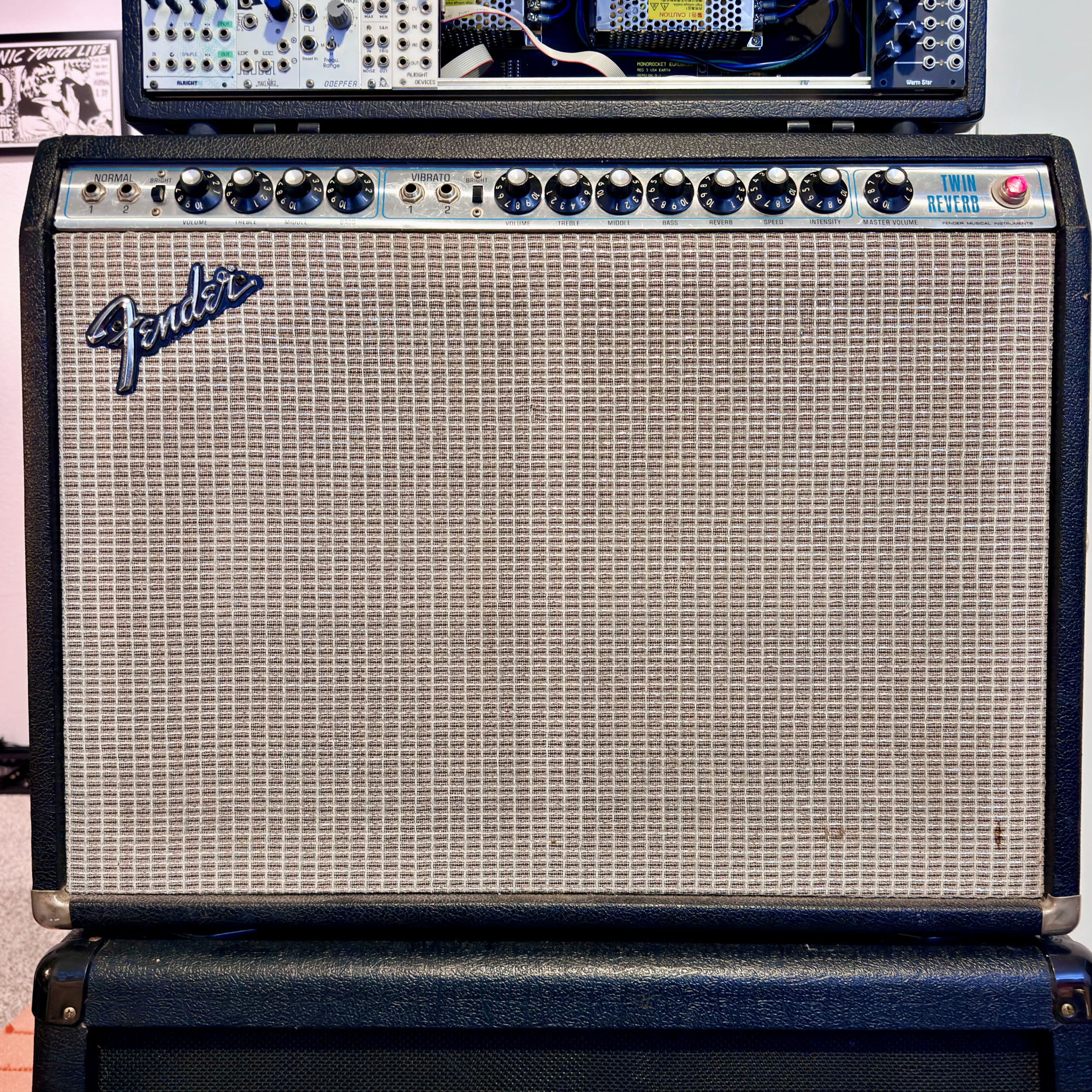
When I started building the NAM-powered AUv3 for homecrate, I needed a default patch. Something that loads when you first open the amp plugin and actually sounds like an amp you’d want to play. The answer was sitting in my studio space.
I have a 1975 Fender Twin Reverb — the redface era, right at the transition from silverface. It’s been my main amp for a while. Volume 4 on this particular Twin is where it stops being a PA system and starts being an instrument. There’s a compression and bloom there that responds to how hard you hit the strings. Clean up with your volume knob, dig in and it pushes back. That felt like the right thing to capture.
The capture setup
The signal chain was straightforward but not ideal. I ran the Twin’s speaker output into a Two Notes Torpedo Captor X acting as a reactive load box, with the cab sim bypassed so the NAM model captures the raw amp response without any speaker coloring. The Torpedo’s DI output went into an Apollo Twin X.
The catch: my Torpedo is the 8Ω version and the Twin outputs at 4Ω. That’s a small impedance mismatch — the manufacturer says it’s acceptable at moderate volume, and in practice the capture came out well. The amp wasn’t seeing its ideal load though, so the power section behavior is slightly different from what it would be into a matched 4Ω box. There’s a faint high-frequency noise floor audible at extreme gain settings during silence. It’s not audible during actual playing. I’m planning to redo this capture with proper matched hardware, but the current version is what ships with the app and it sounds right.
The NAM training pipeline is a set of Python scripts I put together that handle validation, latency calibration, and training. The model trained on my M-series Mac using MPS acceleration — about 20 minutes for 100 epochs. Final ESR came out at 0.003, which is well into the “excellent” range.
What’s in the plugin
The AUv3 is a WaveNet neural amp modeler with an IR convolver section after it. The NAM model handles the amp character; a separate .wav impulse response handles the cabinet and mic simulation. There’s a 5-band EQ, reverb, and input/output gain — all the post-processing that NAM doesn’t include by design. NAM captures are a black-box snapshot of the amp at one setting. Any tone shaping beyond that is on the plugin to provide.
It runs at 2ms latency on an iPhone, which is low enough to play through without feeling like you’re fighting the lag.
The capture is public
I uploaded the .nam file to tone3000 so anyone can use it regardless of what plugin or DAW they’re running:
Fender Twin Reverb ‘75 Redface on tone3000
I also captured a Milkman The Amp — a different kind of model entirely. The Milkman has a single 12AX7 tube preamp running at high voltage into a Class D power section. Instead of going through the load box I captured it via the amp’s internal balanced XLR output — a direct tube preamp DI with no power amp, no speaker interaction, just the tube. ESR came out at 0.0003, which is absurdly good. The capture is quieter than the Twin by nature since there’s no power section gain, but what it gives you is pure tube preamp character as a building block.
I’m planning tube swap captures with the Milkman too — I have NOS RCA and Fender 70s tubes that drop right into the 12AX7 socket. Each tube changes the preamp character meaningfully. Same amp, same settings, different harmonic signature baked into each model.
More captures going up on tone3000 as I get them uploaded.
homecrate
The Twin capture is the default patch in homecrate’s amp plugin. If you are new here, homecrate is a mobile DAW and music player for iOS — the amp is one piece of a larger app that includes an 8-track recorder, voice control, spatial audio, and a local library player with on-device AI. It comes out May 8, 2026. The player is free, the studio is a one-time $9.99 unlock.