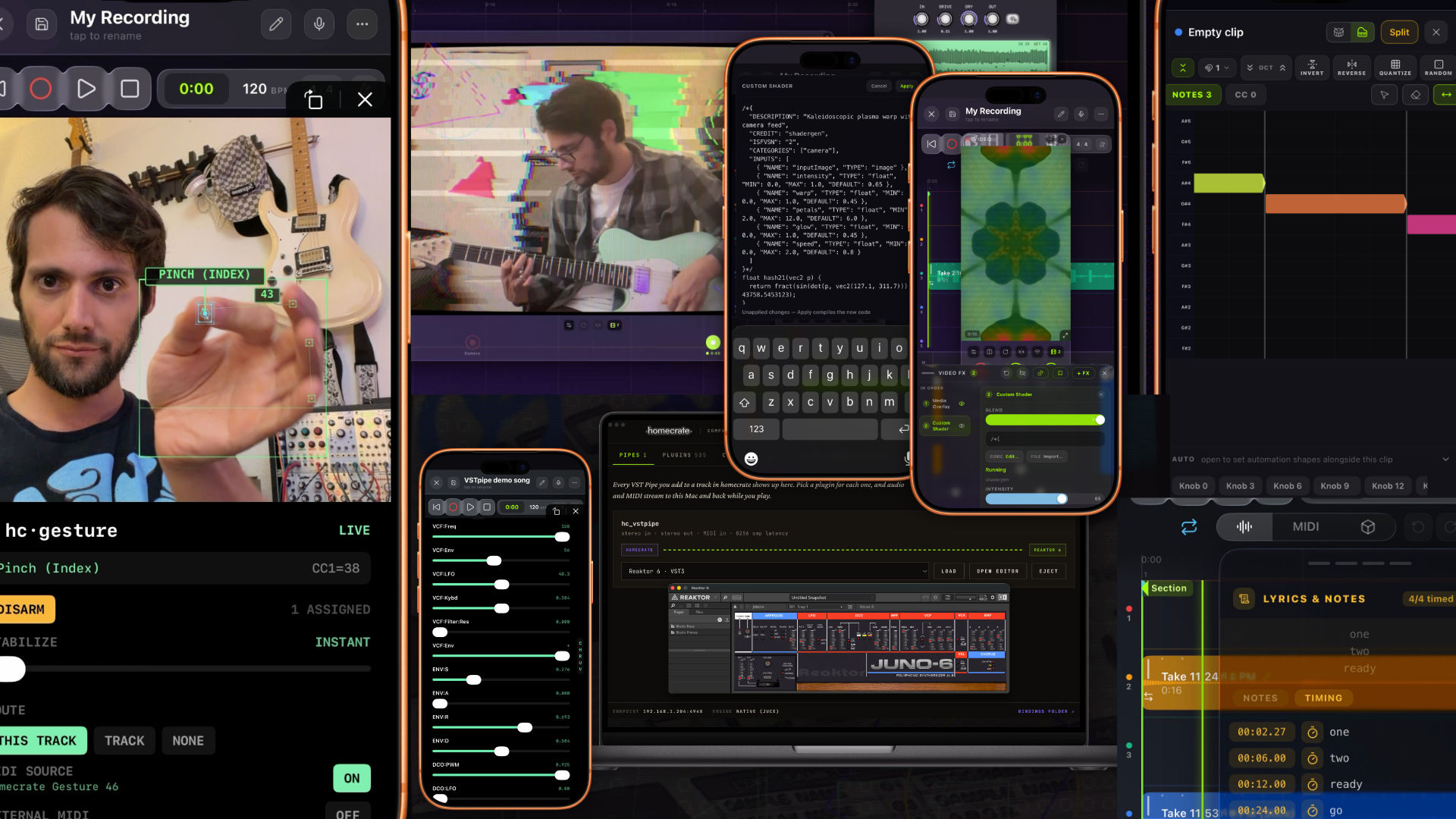
I haven’t had a chance to write a word about the last three releases. I kept meaning to, but there was always one more thing worth building and tools I’ve been trying to build to automate tutorial videos which in turn led to some of the features in this release! So this is the catch-up post. Everything that landed between 1.12 and now, grouped by what it actually lets you do rather than by which version number it arrived in. Much of this finally comes together in 1.14 which is the current latest release.
The short version is that homecrate stopped being a recording app with a camera attached and became something closer to a whole production rig. The price hasn’t moved but at some point in the future given all that has grown and the surface area to maintain going forward, it will have to go up by end of year. I think thats exciting though, fire under my butt to make cool stuff like the features below. One thing I will never do is lock the app down with subscriptions. The app will always be a one time purchase. Maybe ill offer smaple packs, preset packs, plus I have a lot of automated infrastructure with storage. That would be the only type of “subscription” I could see this project ever offering. Anyway, lets get into the fun stuff!
Your desktop plugins now run in the phone’s session
iOS can’t load VST3. Desktop plugins are unsigned native code and an iOS app can’t host them in-process. We have historically thought of vsts as being a thing we leave behind when we go mobile. I think there’s a middle ground between fully remote and mobile. Wanting to use your iPhone to record a part in a corner of the room your cable doesn’t reach. There are many random reasons you might want to detach from your main machine to get inspiration at a different part of your studio. That recording should be reliable, consistent, but also dynamic. I think the latest release solves much of that.
homecrate now streams vsts and midi through your local network
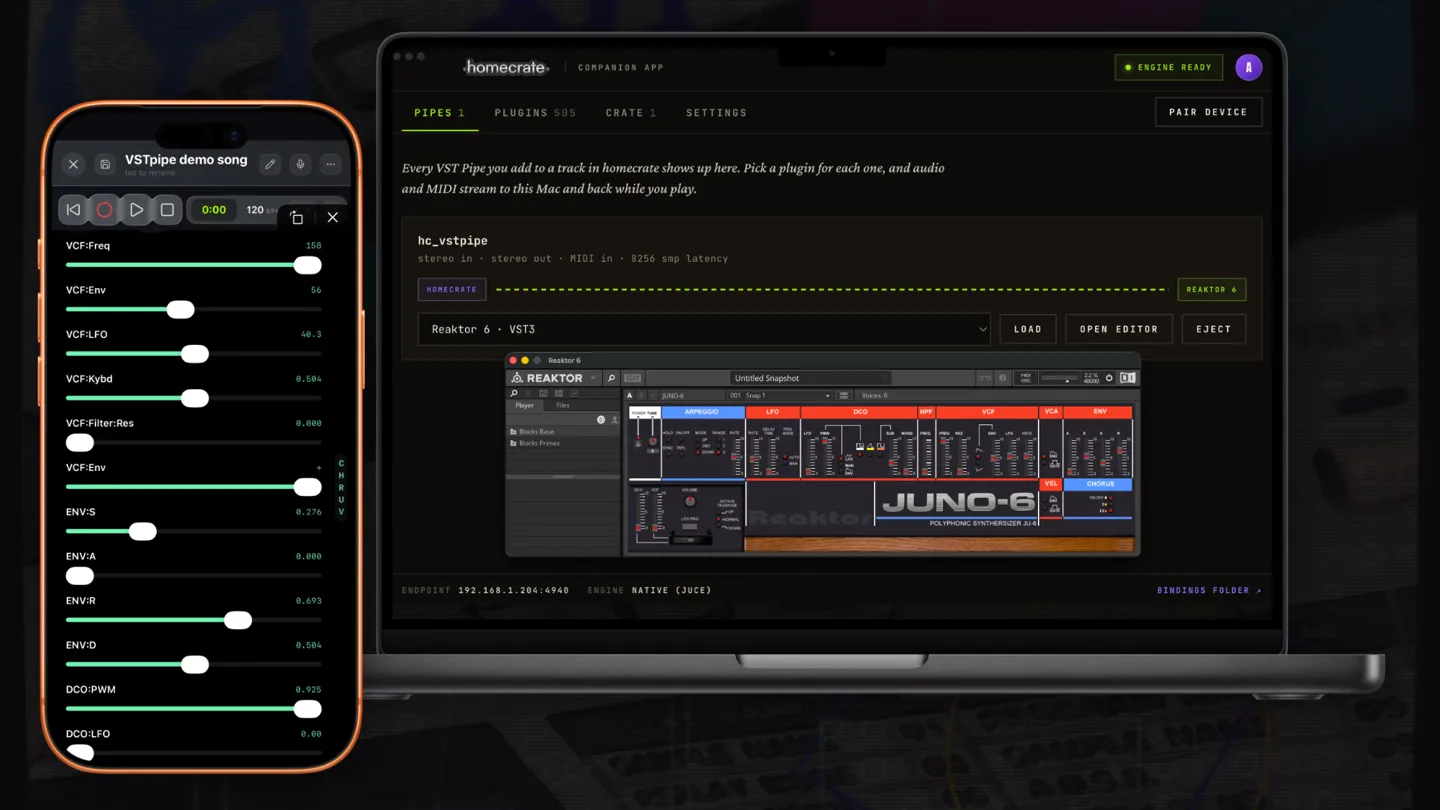
Drop hc_vstpipe on any track, scan a QR code to pair with the free companion app on your Mac, and that desktop plugin becomes an insert in the phone’s session. Its parameters show up as automatable lanes in the clip editor exactly like a built-in plugin. You automate it from the phone. You can save the project on the phone, and the binding and every parameter value come back when you reopen it.
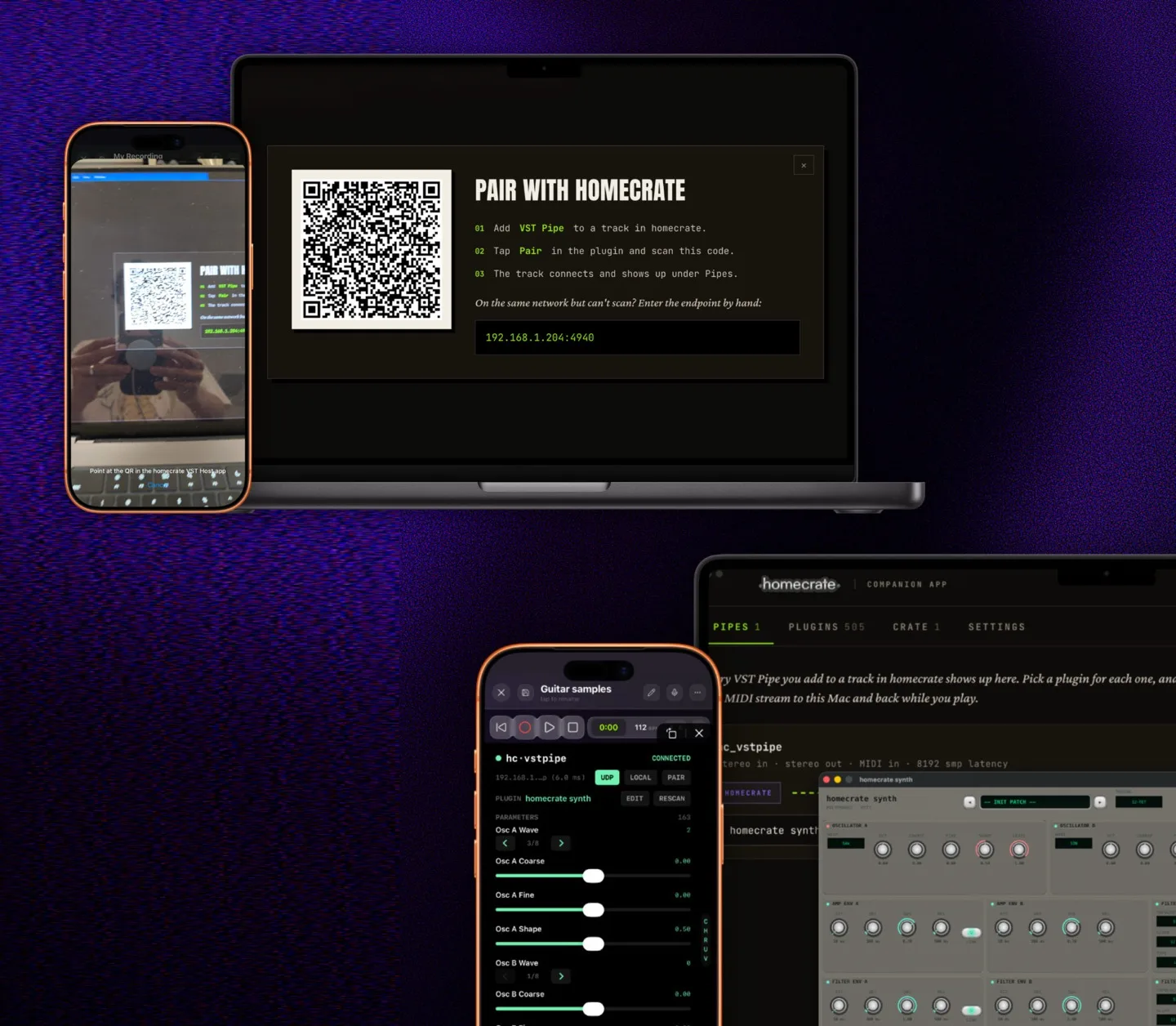
The session never moves to the Mac. The phone controls the transport, the clock, the project file, and the automation. The Mac’s only job is to render one plugin when asked and send the audio back. It auto connects when you are on your local network.
Desktop-to-desktop versions of this idea already exist and they’re good: AudioGridder, Vienna Ensemble Pro. I went looking for something that put the phone in the host seat and didn’t turn anything up, but I’d genuinely like to be pointed at it if it’s out there.
The companion works the other direction too. From your desktop you can copy an audio clip on your desktop, paste it into the song on your phone or iPad.
The camera became an instrument input
Two things happened here and they ended up feeding each other.
hc_gesture points the front camera at your hands and turns eleven poses into MIDI. Palm, fist, pinch index, pinch middle, and so on, tracked on both hands at once. Assign them to notes or continuous control on that track’s plugin chain, or route them out to external MIDI hardware.

The one that actually changed how I work is rotate: grab and twist your hand to ride a filter like a knob. It’s relative to where you started the gesture, so a grab always begins mid-range instead of snapping. There’s an arm-and-stabilize countdown so nothing fires while you’re getting into position, and disarming always sends every held note-off.
The video recorder is the other half. It now stacks real-time GPU effects as layers, in order, like a signal chain. Glitch, CRT Monitor, ASCII Art, VHS Tape, Super 8, Blob Tracker, Star Field, a depth spectral visualizer, and a lot more. 1.14 added eight: Halation, Tie-Dye, Film Burn, 16mm Reel, Liquid Light, Pixel Sort, JPEG Crush, NTSC Composite.
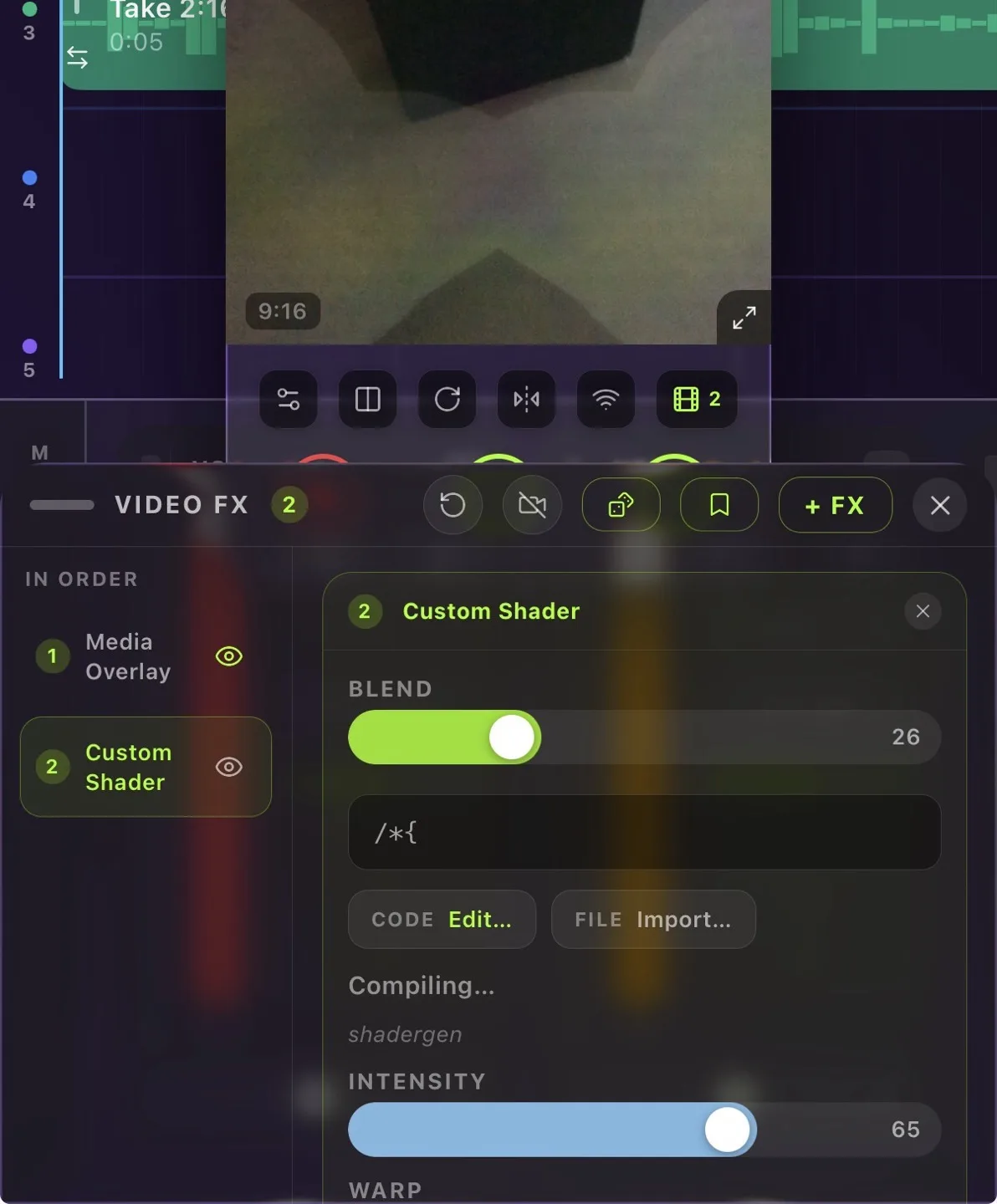
Any parameter of any layer can be driven by a frequency band of your actual mix, so hitting the strings actually moves the frame.
Two things moved it past novelty for me. Preserve Me uses person segmentation to cut you out of the frame and composite the clean camera feed back over you, so effects never touch you while the room datamoshes around you. One tap inverts it: you become the effect and the room stays real. Preserve Instrument uses much of the same approach but identifying the body.
Each effect layer has its own exemption setting: protected, body only, instrument only, or the whole frame. That’s what makes “the room burns, the guitar stays pristine” a preset instead of a post-production job.
There’s also a filter that blurs your headstock. I literally trained a model on my gpu to recognize an F word on your headstock to blur. lol.

Paste a shader, run it live
1.14 added a Custom Shader effect. Paste ISF or Shadertoy code and it compiles and runs as a live video layer. The shader’s own inputs show up automatically as sliders and controls. Compile errors appear right there in the drawer so you can fix and retry.
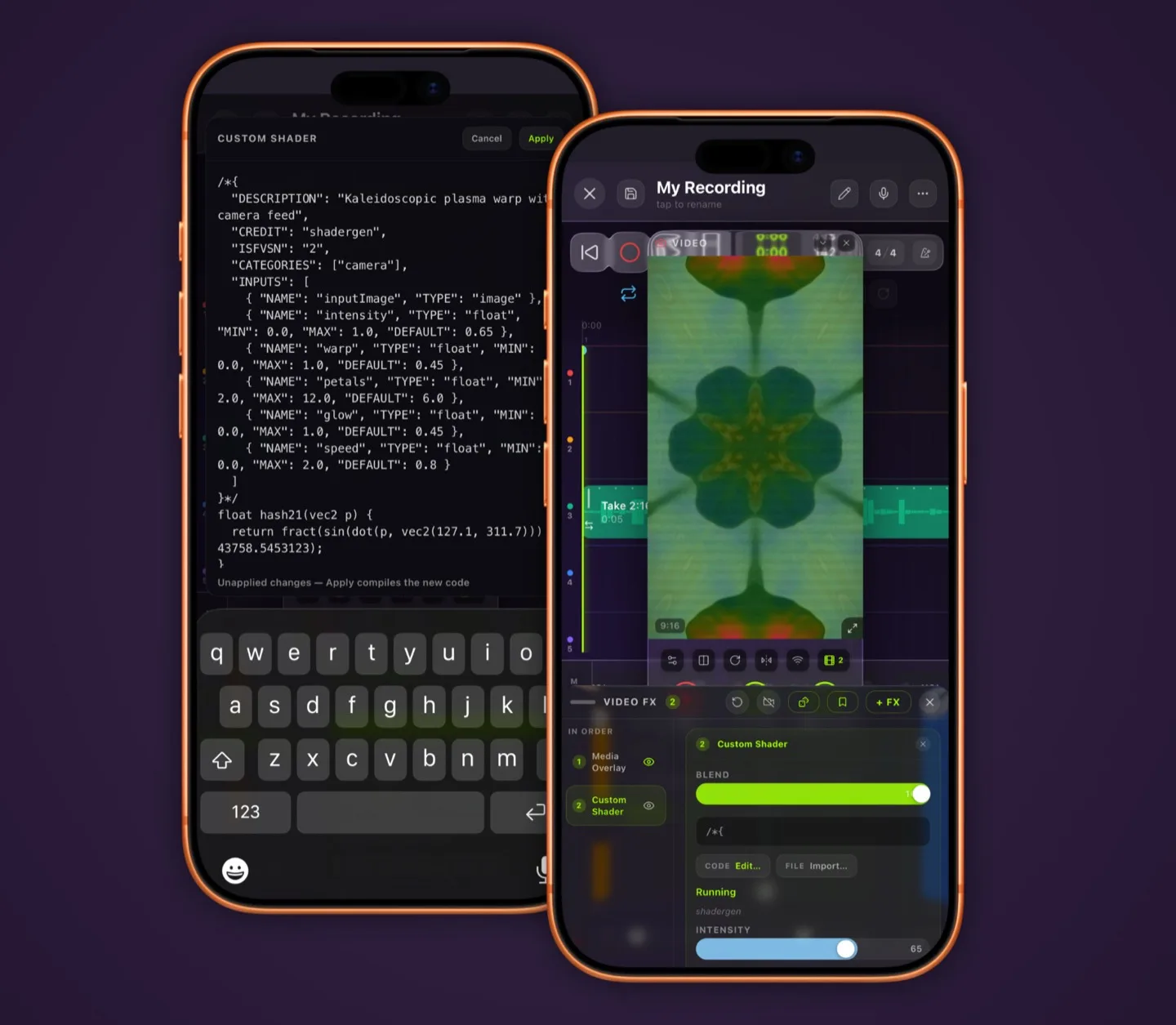
This is the same reasoning I went with NAM and IR. Rather than invent a proprietary format, speak one that already has an enormous public library behind it. Shadertoy alone has tens of thousands of published shaders and most of the ones I’ve tried run without changes, though I did spend an evening finding out which ones assume things about texture coordinates that don’t hold on a live camera feed. Some bug fixes are already set for 1.15 but app review is much longer these days so I’m focusing on a tight bug focused release (with a massive surprise feature.)
Stem separation, on the device, unlimited, and now working on A14
Split any song into parts without uploading it anywhere.
Pick a GPU engine on Metal for speed or a CPU engine for older hardware. Choose a 4-stem model for the cleanest vocals, or 6-stem to get a dedicated guitar track. Stems land already aligned on the timeline. This release refined the stem feature and I was able to get it working on a A14 chip from 5+ years ago.
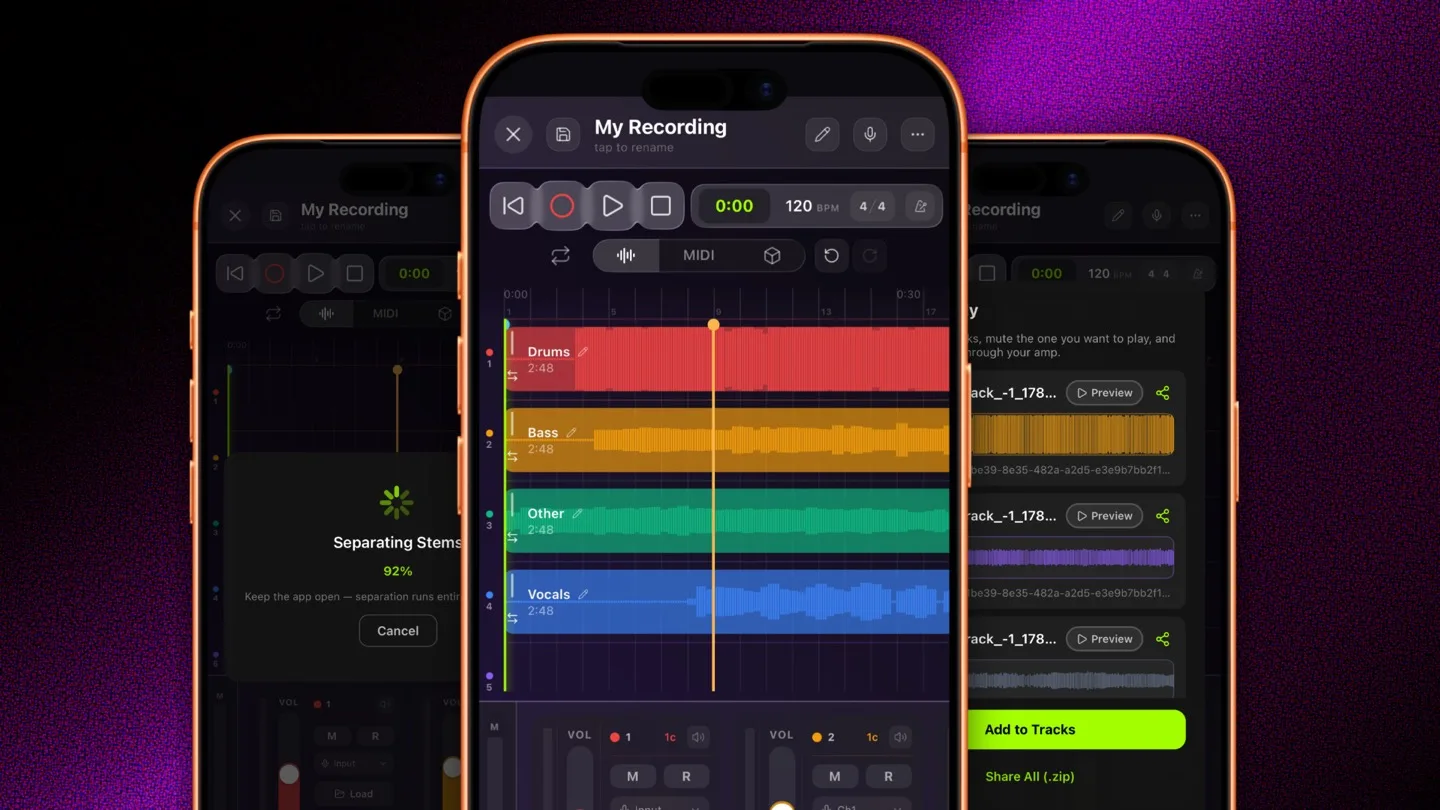
The workflow that made me add this: take a song, pull the guitar out, put an amp on a track, and play the part yourself against the rest of the mix. As many passes as you want, because there’s no server to pay for and nothing to meter.
Audio to MIDI works the same way. On-device pitch detection converts any clip to notes right in the clip editor, so you can sing a melody in and get a part out of it.
Editing audio gained transients
You can drag a late snare onto the grid now and the audio around it stretches to meet it, without the clip length changing. Transient detection finds the attacks and the markers snap to them.
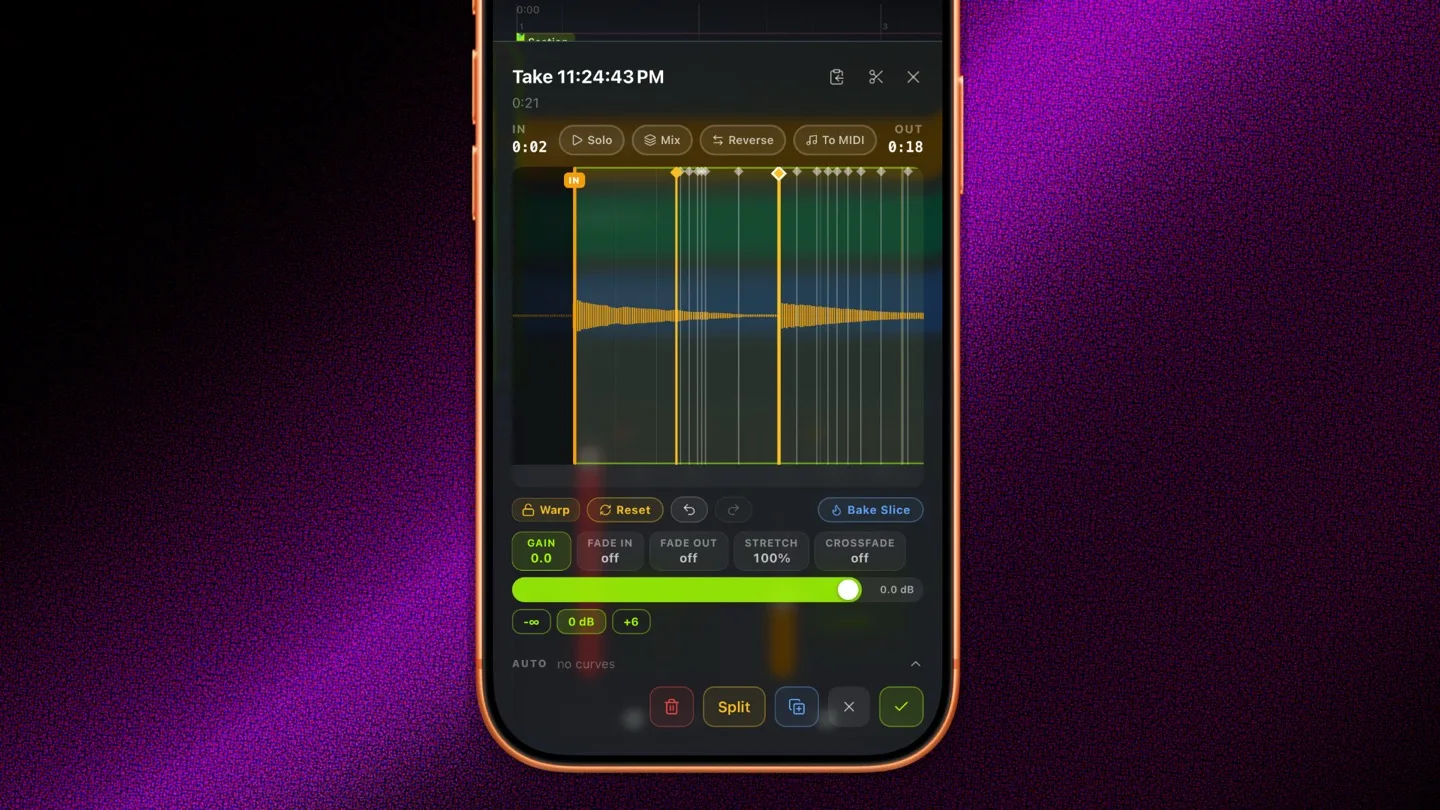
Time-stretch is pitch-preserving and honored everywhere: playback, recording against backing tracks, mixdown, and spatial export.
Bake Clip renders an edited slice down to its own file.
There’s now a long-press action menu on clips and the timeline for duplicate, copy, split, reverse and other actions relative to MIDI and audio.
Audio clip editing now has its own undo/redo, pinch-to-zoom, and solo/mix preview buttons. Loop points save per project, and so do theme colors: you can set the recorder’s UI to match the mood of whatever you’re working on.
The interface basically got a wide pass tightening up tons of the interfaces. Speaking of…
The MIDI editor got rebuilt in 1.14. New tool rail with Move, Erase, and Length. Note input is a double tap now, so scrolling doesn’t drop stray notes on the grid. In the drum grid, the Length tool shows each hit’s real gate length so you can see how long a pad rings.
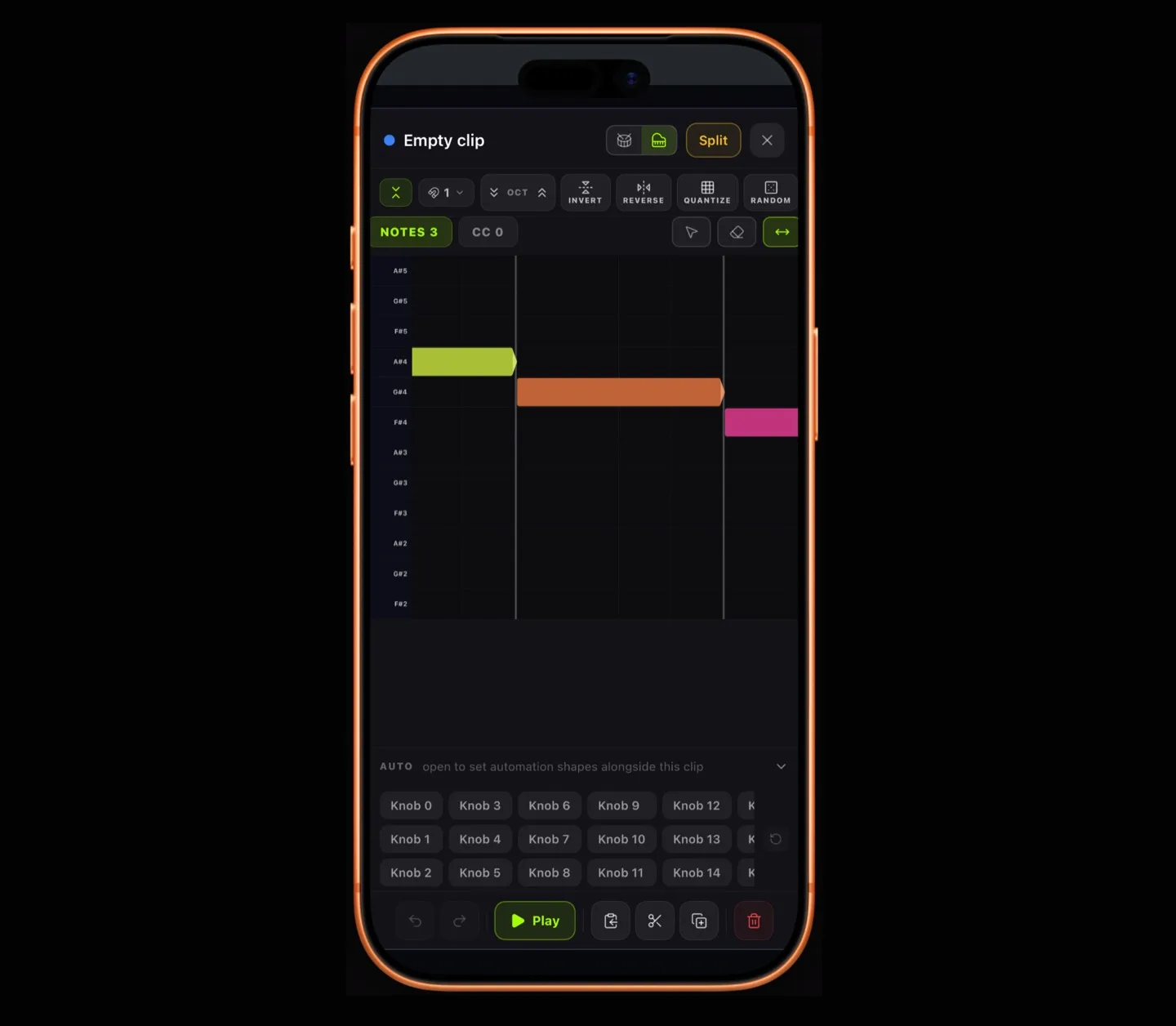
There’s a Randomize button that re-rolls the whole part, following your project key, and you can lean the results toward what the song is actually playing.
Clips are also selectable in the recorder view now, which means the voice commands know what you mean when you say “split this” or “insert silence.” Nine new commands, including key analysis, clip gain, fades, and audio-to-MIDI conversion.
Lyrics that travel with the song
New in 1.14, and it closes a loop I’ve wanted since the beginning.
Time your lyrics line by line: type a timestamp on the Timing tab, or put your cursor on a line and tap mark to stamp it at the playhead. A live preview strip at the top follows the song as it plays and highlights the current line, so you can dial timings in by ear without leaving the panel.
Then mixdowns sent to your library carry the lyrics in the track metadata. Timed lines show up as synced lyrics in the player, untimed ones come along as plain text.
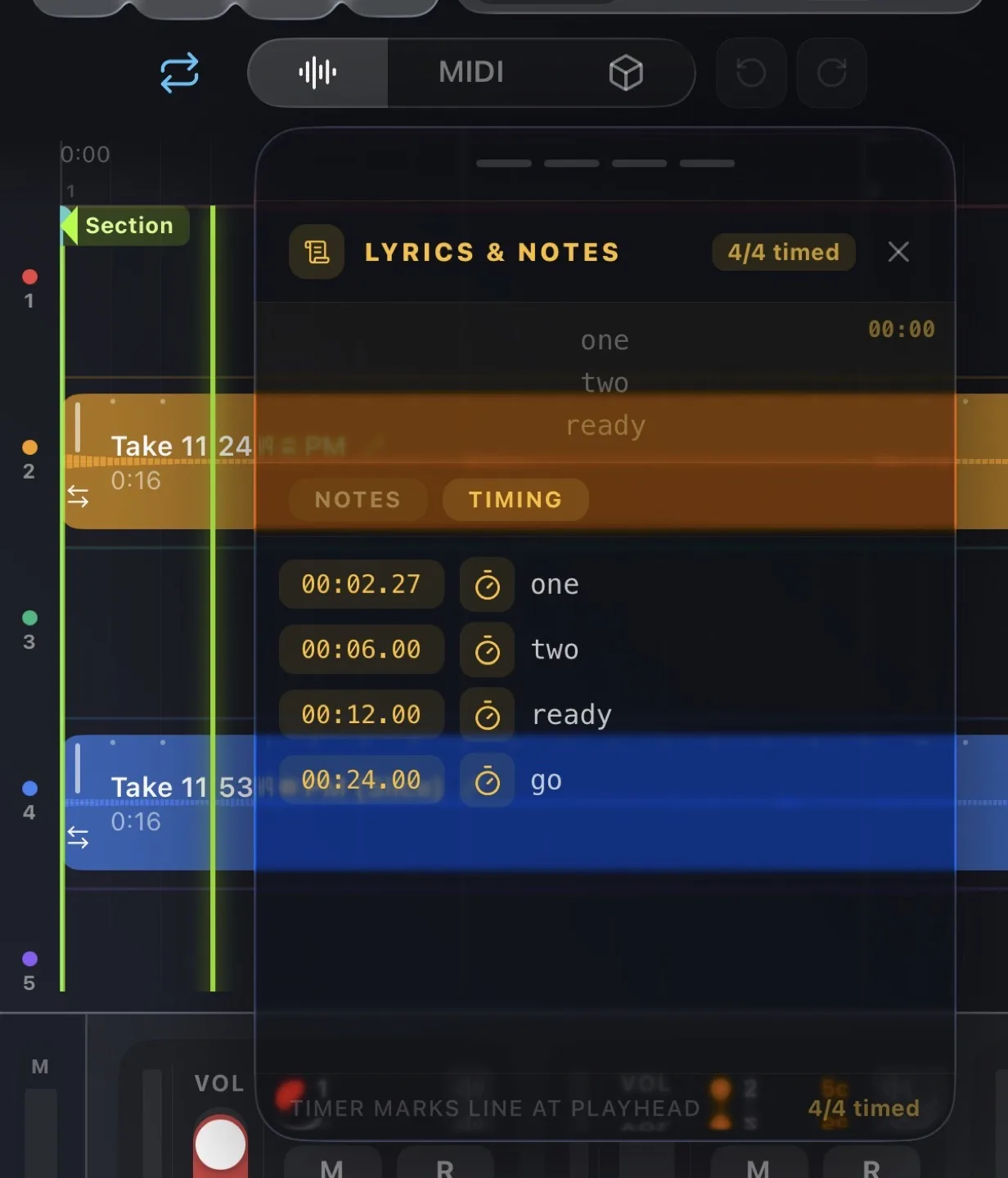
Write a song in the studio, and it shows up in your library the way a real release would.
There’s also a Lyrics video effect that overlays your timed lines on camera takes in real time.
Section markers can drive video effects
Also 1.14: section markers can now trigger a video effect preset change. The look switches as playback crosses each marker, in preview and in the recorded video. Mark your chorus, assign it a look, and the video changes when the song does.
This one came directly out of the tutorial video stuff I mentioned at the top. I was manually cutting between looks in post for every single demo clip and got tired enough of it to build the feature instead, which is roughly how half of this release happened.
The rack filled out
Nine first-party AUv3 plugins ship in the app now:
- Amp: Neural Amp Modeler with dual profile morphing mapped to playing dynamics, stereo profiles, IR cabinets, tempo-synced delay, phase-corrected blending
- Synth: dual-oscillator, MPE, microtonal tuning, per-voice IR convolution
- Drum: 16-pad sampler with a multi-bar step sequencer, timeline copy/paste, pad sample editing
- Vocal: pitch correction, compression, doubling, de-esser, delay, reverb, and a new lofi section
- Grain: a grain delay and reverb with a wide enough control range to play with, not just wash a track in atmosphere
- DynEQ and Send: dynamic EQ and compressor, with sidechaining that works across tracks
- Gesture and VstPipe: the two above
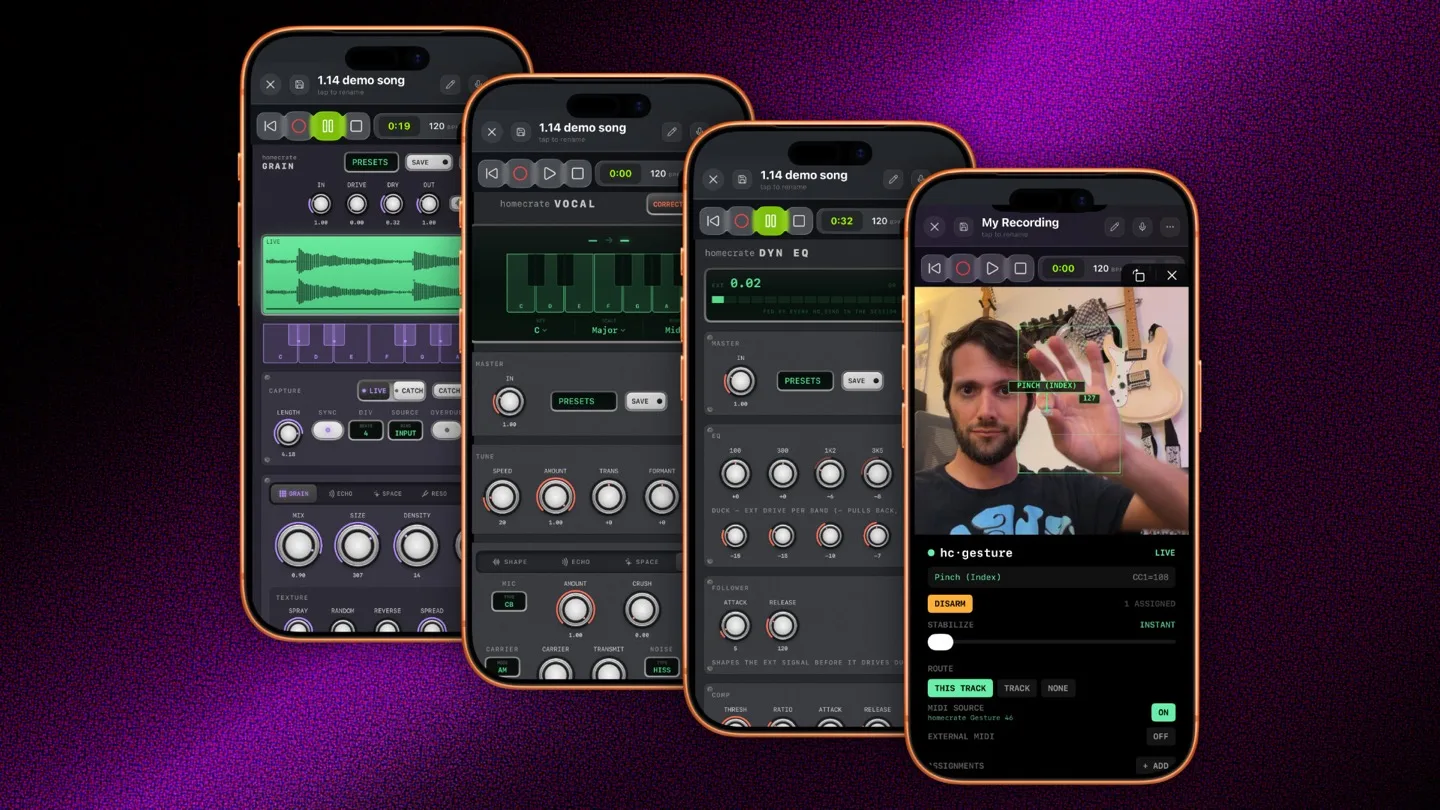
All of them expose MIDI CC on common parameters now, so a hardware controller, or a gesture, drives them directly.
Speed and fixes
Exports finish in seconds now instead of minutes. That one had been bugging me for a long time.
Also: fixed stem separation crashing in some cases, fixed the mixdown bounce playing through your speakers while it bounced, fixed looper overdub in loop mode, fixed instrument tracks jumping to full volume when you move the playhead during playback, improved audio-to-MIDI accuracy, and the amp and grain plugins now settle down properly when nothing’s playing so the device stops heating up at idle.
Still $9.99 - likely some time away from an increase so do snag it now!
One purchase, iOS and macOS and visionOS. No subscription, no account, no ads. Everything above is included for anyone who already bought it.
If you’ve been using homecrate and it’s been useful, a rating on the App Store genuinely helps more than you’d think. There’s one person working on this.