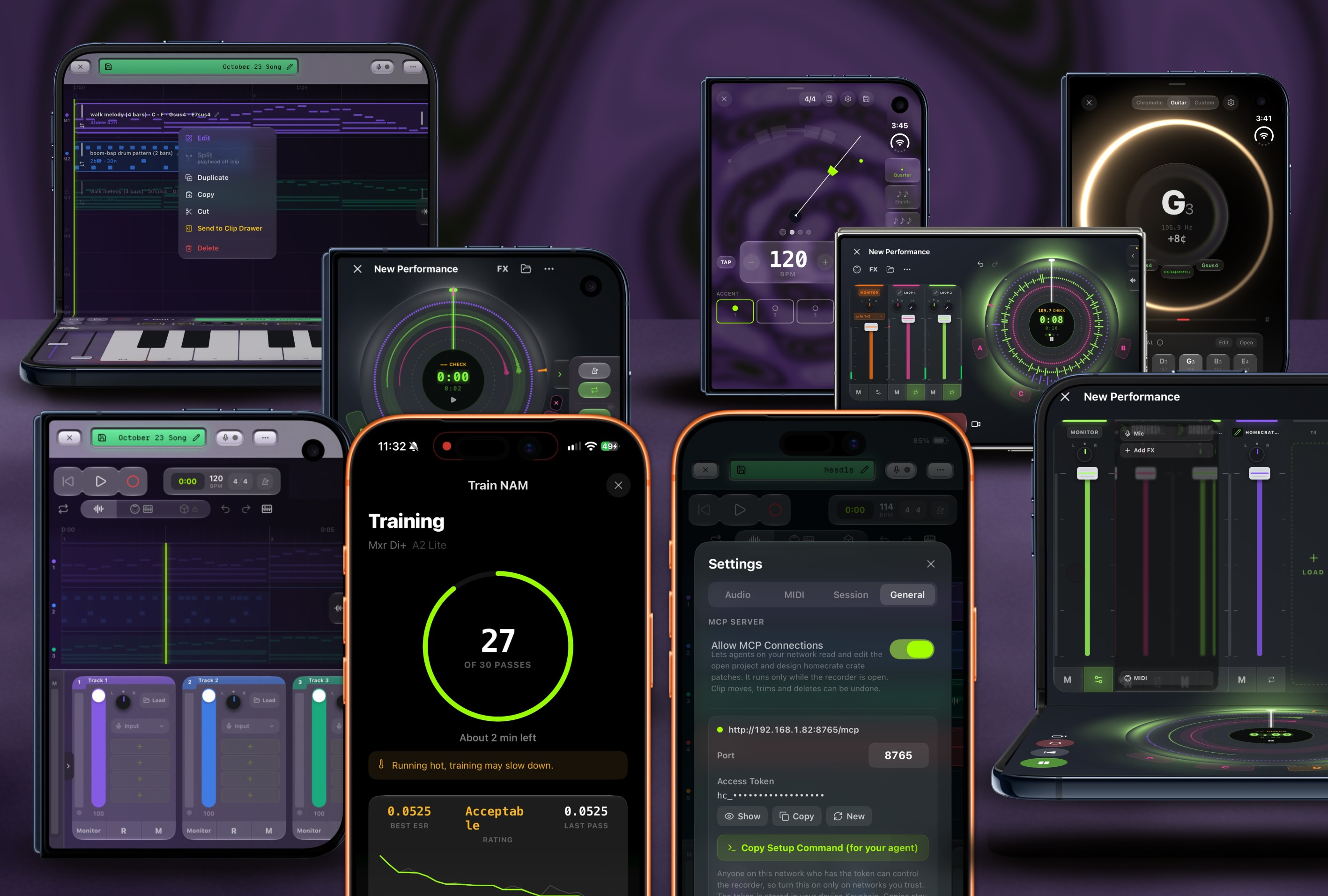
VIDEO IN PROGRESS! Pardon my dust.
Appologies on the lack of content as I’ve been building. Massive things have shipped and its time to get some credit! The last post covered up to 1.14 in August, and since then twelve more releases went out without me writing a word about them. Part of that is App Review being slower these days, so I’ve been shipping smaller releases more often instead of saving everything up for one big one. I’d rather be building than writing these. This is the catch-up post, I’ll be bouncing around the main features as they pieced out over the last 12 releases.
Starting with the newest thing.
Your AI agent can work inside the recorder now
homecrate can now act as an MCP server. MCP is how coding agents talk to other software. Turn it on in the recorder settings, paste one command into a terminal on your computer, and an agent like Claude Code can read your open project and edit it while you watch.
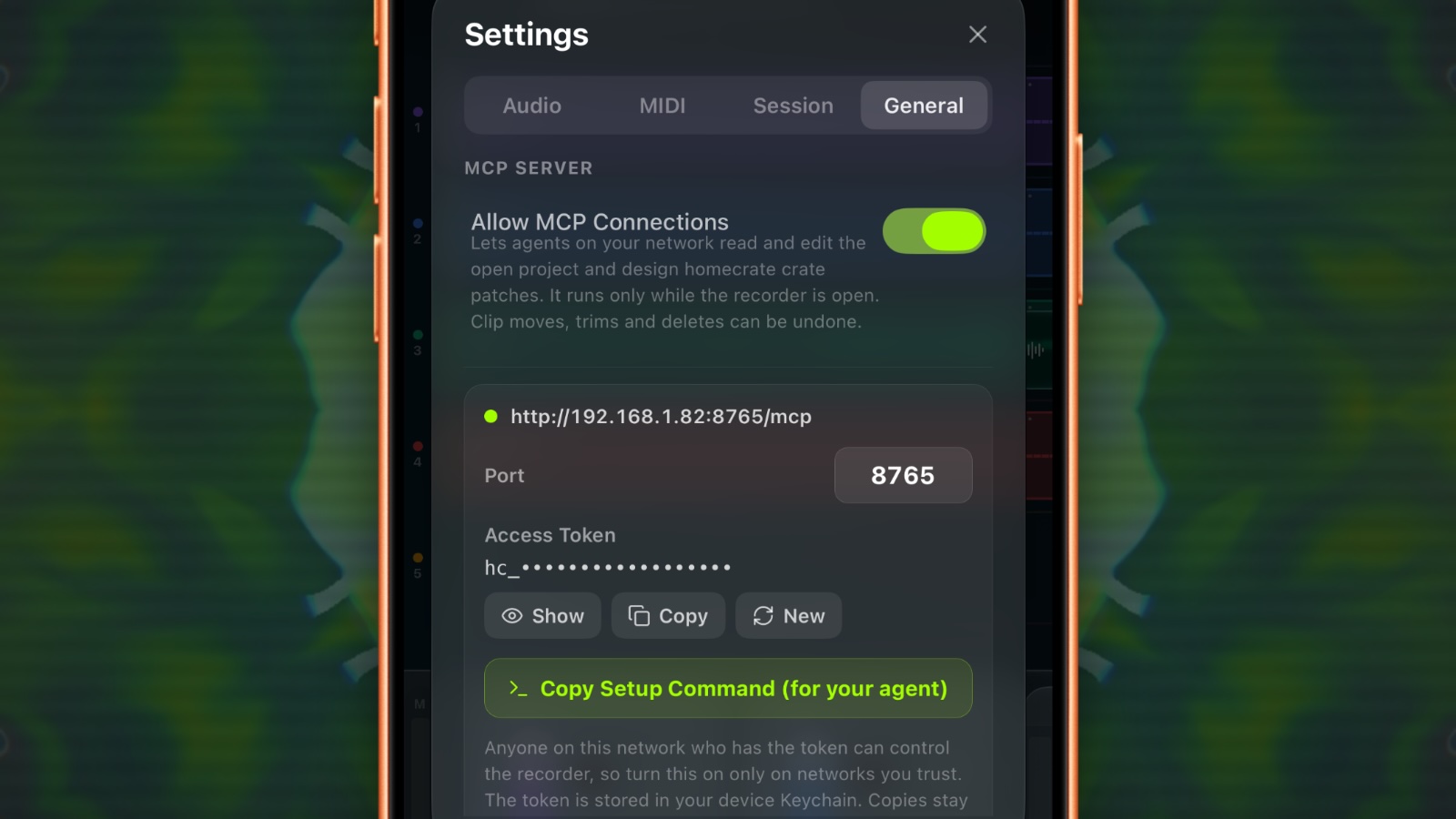
Most “AI in a music app” means the app makes the music for you. homecrate doesn’t. No model, no account, no cloud service. You bring the agent you already use, and it gets the same tracks, clips, MIDI, plugins, automation and markers you’d touch with your fingers.
Editing a session on a phone is still a fight. You know what you want on the timeline and then you’re pinch-zooming, missing the edge of a clip, long-pressing the wrong thing. Two free hands and some patience and you can get through it. If a screen is hard on your hands, or you’re holding a guitar, this ends up helping a ton. You can say “line the bass up with the kick and fade the last bar” and it shows up. More people can get an idea onto the timeline without having to learn the phone UI first.
What it can do:
- The song. Tempo, key, time signature, loop, metronome, section markers, undo and redo. List, open, start, rename and save projects.
- Tracks and clips. Volume, pan, mute, solo, arm. Move, trim, split, duplicate, reverse, fade and delete clips. Insert silence. It can find the notes and the transients in a recording, so “line the bass up with the kick” is a thing it can check.
- MIDI. Write a part note by note, rewrite one, convert an audio clip to MIDI, and set a track’s instrument, channel and outputs.
- Plugins and automation. Load plugins and presets, read and set any parameter, and draw automation across a section: ramps, swells, LFOs, steps.
- HC Crate. It can read the patch on a track, start from a factory patch, check its own patch for problems, and load it. More on Crate below.
- The camera. Effect layers, shaders, p5 sketches, pictures, and video presets.
The first time I tried it I asked for a song from an empty project and had something playable faster than I expected. It also found a bug in New Project that the button in the app had too, which is a pretty good argument for letting it poke around.
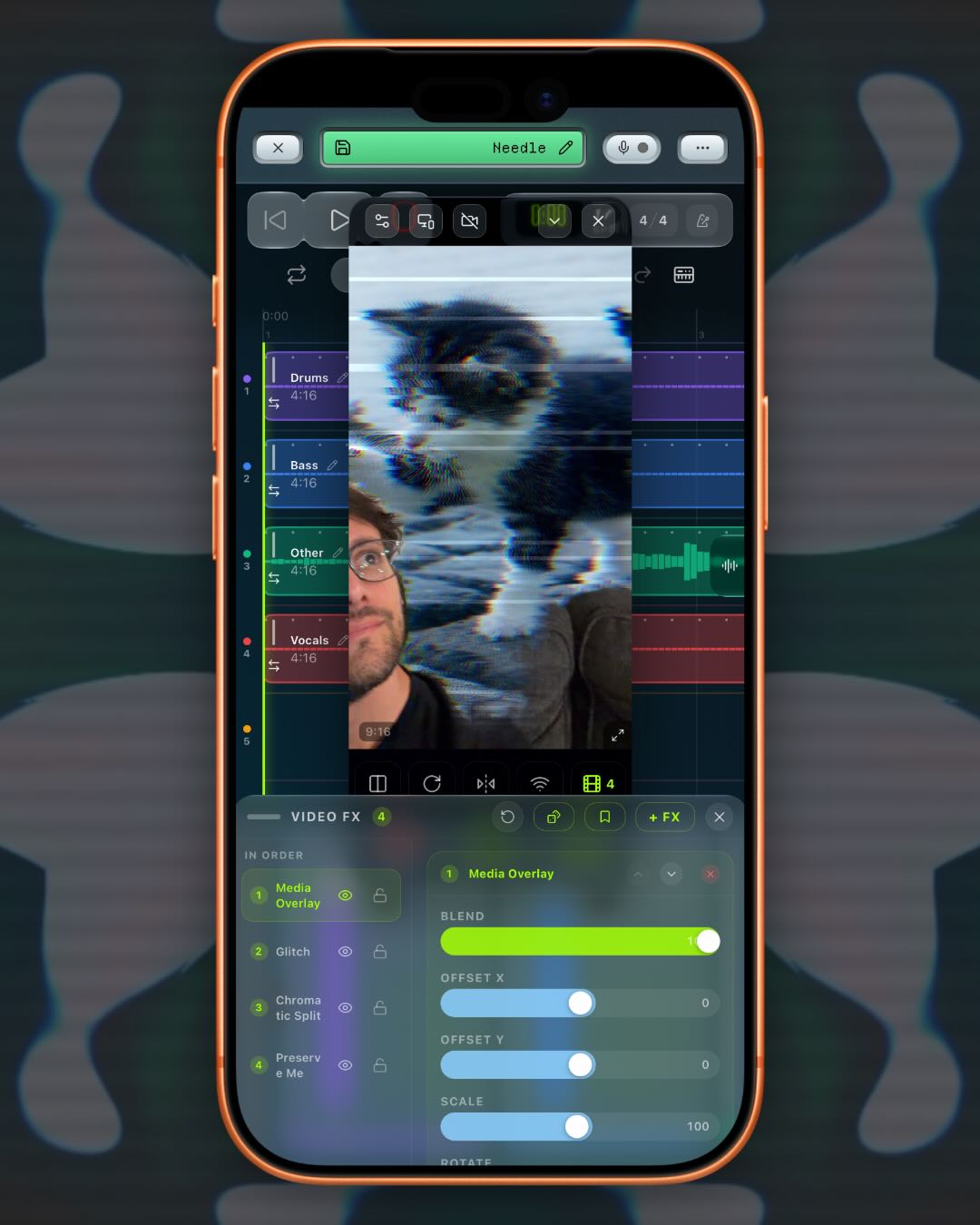
### "Make me a music video for this song"The agent can open the camera panel, add and tune effect layers, and read every effect’s controls. It can write its own Shadertoy, ISF or p5 code, check that it compiles, and load it into a layer. If it doesn’t compile it gets refused, so a broken shader never replaces one that works. It can also grab a small snapshot of the frame to check the result. The snapshot is shrunk on purpose, because images are expensive, and it’s set up to use them sparingly.
In 1.26 it can assign the video effects, save a look as a video preset, and point a section marker at it. Section markers switching presets landed back in 1.14. Now an agent can build one look per section and point each one at its marker, so the video changes when the song does. You still press record. I didn’t want an agent rolling the camera on its own.
It can put pictures in the frame too. Ask for “a cute cat picture in the background, glitching” and it downloads a photo into a media layer, crops it to the frame, puts Preserve Me above it so you stay in front, and adds a glitch layer that only touches the picture. If you don’t want to be in the shot at all, it can turn the camera off and the picture becomes the frame.
Questions yo might have
- It’s Pro, and it’s hidden with every other AI feature when Hide AI is on.
- It only runs while the recorder is open and the switch is on.
- Every request needs a token. Anyone on your network with that token can control the recorder, so only turn it on on networks you trust. You can make a new token any time and everything connected gets kicked off.
- homecrate doesn’t send your song anywhere. Your agent does, though. Whatever it reads goes to whoever runs that model, under their terms. Keep that in mind when using this feature in a project you care about. Local models are my recommendation and I’ll be releasing some tooling around that soon.
- Clip moves, trims and deletes go into the normal undo history. Automation, notes, markers, crate patches and video layers don’t, so save the project first if you care about where it is.
There’s a full page on setting it up in the docs.
Harmony separation
1.25 splits a vocal clip into the separate voices, each on its own layer, and writes MIDI for them. Sing a part, turn it into notes, and stack the harmonies back on. Audio to MIDI has an Instrument tuning and a Vocal tuning now. Thanks to Billy Cardine for the idea.
HC Crate: a patcher inside the app
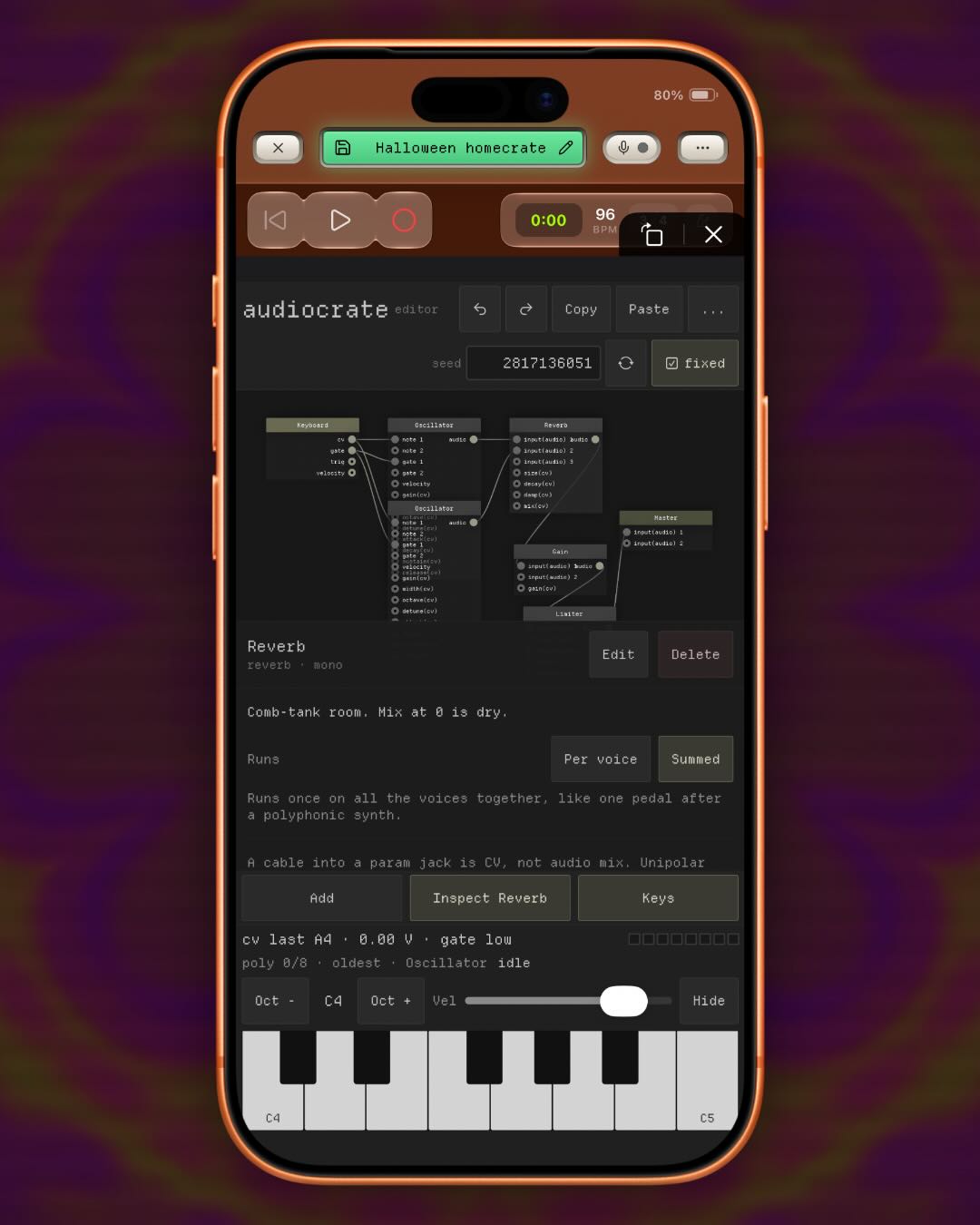
1.19 brought in HC Crate. It’s the audiocrate engine running as an AUv3 effect and an instrument, with 109 modules, clock sync, note passthrough, and the DAW’s own audio running through the patch.
Example patches are included, and patches from the audiocrate web editor paste straight in. It’s the same patch language on the web and in the app, so something you build at your desk works on your phone. On iOS 26 you can ask, on device, for modules to be added and connected, and as of 1.22 it adds them and connects them in the patch.
A patch is text, so an agent can write one, check it, and load it onto a track.
Performance mode
1.23 added Performance mode, a looper for quick sketches. It opens from the library, right next to Record.
Monitor your input live, run it through a NAM amp, and record what you play onto a layer. Start with a drum loop and stack longer layers over it. The clock stays locked the whole time.
Each layer is a disk you can scratch on its own, like a DJ platter. Let go and it lines back up with the clock. I made it to nudge a layer that was a little off, and it turned into the most fun thing in the app.
The send channel can feed the looper now (1.26), so a layer can be resampled while you play. Run it back through the amp and record that onto a new layer.
Train a NAM model on the phone
1.22 lets you capture an amp and train an A2 NAM model on the device itself, from the Amp screen in the library. No laptop, no uploading your capture to a training site. It lands in your amp library when it’s done. It’s Pro and needs an A14, M1, or newer GPU.
If a capture finishes training as “Poor quality” it isn’t saved automatically anymore. You can recapture or keep it anyway, but it won’t quietly fill your library with bad profiles.
1.23 rebuilt the amp’s impulse response section with lower latency and fewer artifacts, and the Amp screen can now capture an IR of a speaker cabinet or a reverb. One heads up: an IR no longer adds 6 dB. If an old preset sounds a little quieter, that’s why. The extra gain was never part of the capture.
The amp also gained a PRE stage in 1.20, a second NAM in front of the main profile, so you can put a captured drive pedal in front of a captured amp.
A rebuilt recorder
1.20 redesigned the recorder interface, and a lot came with it:
- Record every input of one interface onto its own track in a single take, on iPhone and on Mac. On iOS those inputs have to come from the same device.
- New projects ask for a tempo and a key (tap tempo too, as of 1.23), so nothing opens at 120 BPM by accident anymore.
- Long-press mute to solo. Unmute other tracks to add them to the solo group, and releasing the original solo puts everything back where it was.
- A clip drawer that holds takes, samples and MIDI for another song. Long-press a clip to move it off the timeline and into the drawer. In 1.23 the drawer got an Add button for importing samples and loops.
- A handedness setting that puts one-handed controls on the left or the right.
- Track labels can take a color, and there are two new recorder themes.
- The recorder uses roughly 40% less compute under the same load. That one took a while.
On iPad, plugin screens can be moved and stacked with more than one open at once (1.19). And 1.19 added multi-select: double-tap a clip, tap the last one, and long-press to duplicate, copy or delete the lot.
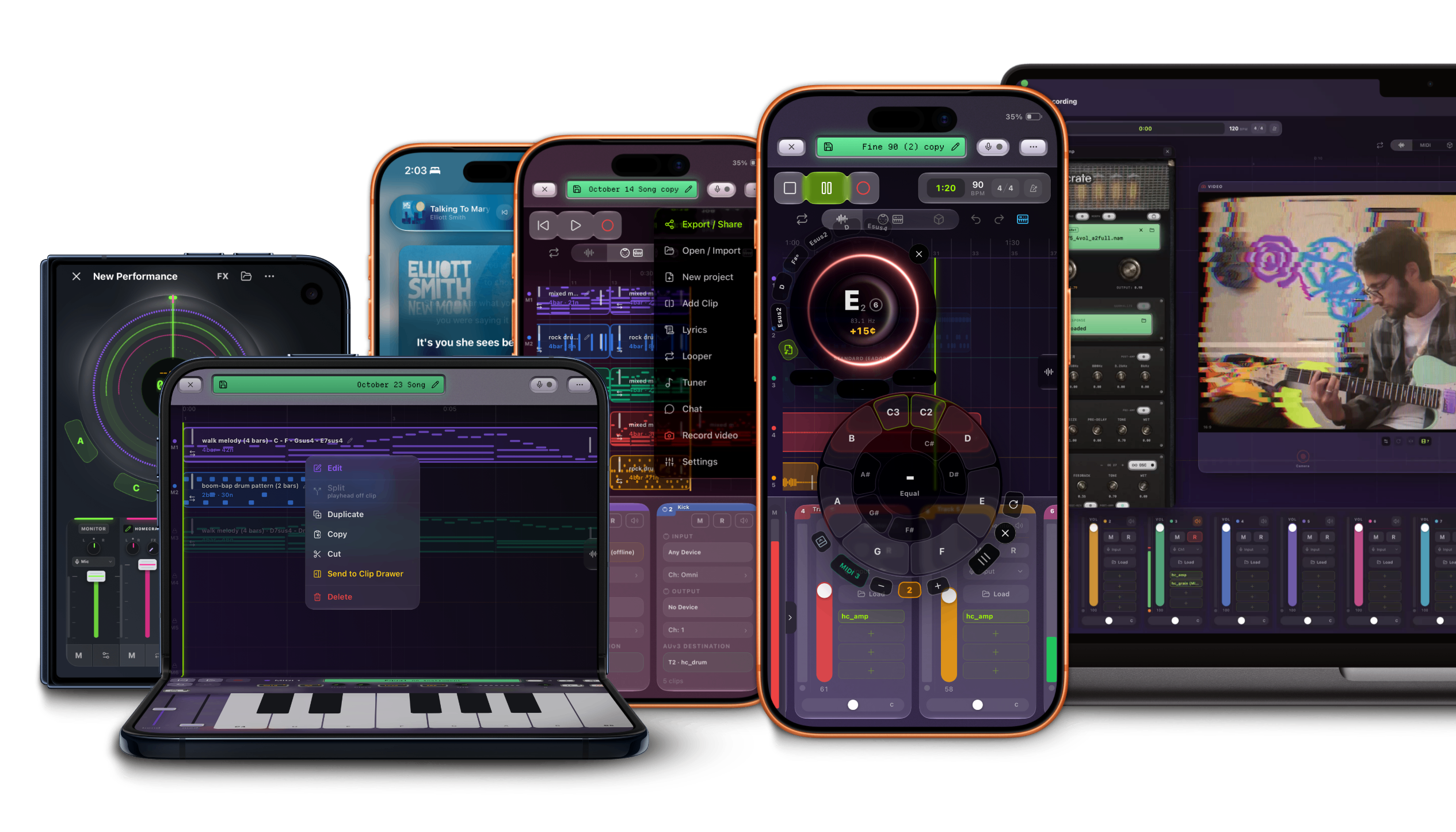
Sections can change the song
1.21 made section markers a lot more useful. A marker can change tempo and time signature, and it can send several MIDI messages at once, so a marker can switch your hardware synth’s patch at the chorus. Audio clips stretch to the project’s root tempo. 1.22 made the tempo changes more reliable.
Also in 1.21: save a track’s whole plugin chain as an Instrument, and it’s available in every project after that. The on-screen keyboard got an arpeggiator and a pad you can teach any MIDI CC, and a MIDI instrument can drive the transport. Double-tap stop to rewind.
MIDI generators and split instruments
1.15 brought in MIDI generator plugins: chords, arpeggiators and sequencers can play your tracks, and a generator on one track can drive the instrument on another. You can also split one plugin by MIDI channel, so bass on 1, keys on 2 and pads on 3 each get their own instrument, effects, fader and pan. Generated MIDI can go out to hardware, and if you arm a track you can record what the plugin plays as an ordinary clip. 1.25 saves pitch bends, and they show up in the MIDI editor.
The camera grew and grew
- Visuals on a big screen (1.15). The companion app opens a Visuals window you can put fullscreen on a projector, with rotate, mirror, fit or fill, zoom and pan. Several phones can stream at once, each in its own tile. Performer mode hides the phone UI and stops the on-device preview so the phone runs cooler.
- DAW Mirror (1.15). The device’s own screen goes into the video chain, so you can record a tutorial on the phone itself.
- MIDI on every layer (1.15). Long-press a layer’s eye, or a preset, to assign a MIDI control. One pad can fire several at once, so a pedalboard can flip a whole scene.
- p5 sketches (1.17, 1.18). A p5 / Processing layer in the camera chain, with an on-device button that tries to fix a broken sketch. In 1.18 sketches blend with the layers behind them and can read hand tracking data.
- Camera off, camera behind (1.19, 1.20). Shaders run with the camera off, you can pick a connected camera, and the camera can render behind the recorder as its background.
- Draw the song (1.21). A camera effect can draw the song from the MIDI clips or the audio clips.
- Out of the shot (1.25). The tuner, lyrics, and camera overlays drag up into the Dynamic Island to get out of the way, and drag back down to open. Made for filming a performance.
1.18 also fixed camera recording doubling MIDI instruments in the final mix, which was a bad one. Sorry to anyone who hit it.
The tuner
1.15 shipped a free library of established tunings: standards, drops, opens, modal, lap steel, pedal steel, bass, and an artist section. Guitar 6/7/8, bass 4/5, lap steel 6/8/10, pedal steel E9/C6. The steel tunings were checked against John Ely’s list and the Papa Dafoe database, and detection tracks below a 5-string bass’s low B. David “Feet” Rogers’ D tuning joined the library in 1.19.
The tuning editor can change temperament, and you can save a library tuning as your own. 1.20 added a mini tuner that listens to one track, holds the chords it hears, and steers generated notes toward them. You don’t have to press play for it to work.
Import can take a whole library
1.16 rebuilt import. M4A, AAC, AIFF and AIF join FLAC, WAV and MP3, so an iTunes or Apple Music library can come over whole. Artist, album, title, track and disc number, genre, year, lyrics and cover art are read from the file, and a mixed selection files as one album per artist instead of collapsing into one. There’s a Fix artists and albums button for the ones that came in wrong.
The free tier also went from one MIDI track to two.
iPhone Duo
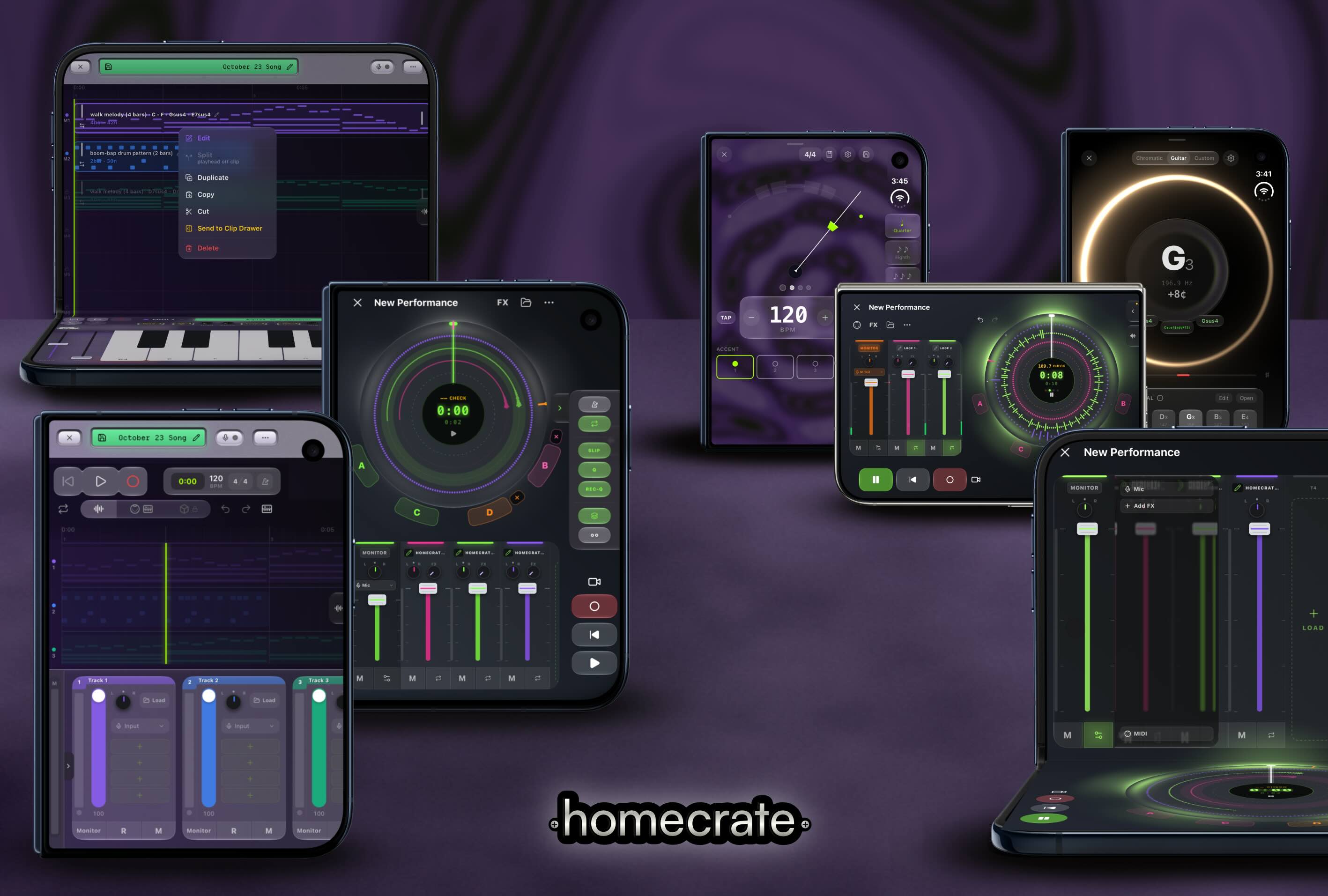
The recorder follows every mode and orientation of the iPhone Duo, and a few layouts only exist there. Tabletop puts a MIDI keyboard across the bottom half with the faders and controls, and keeps the transport on top. 1.24 added the book pose for the recorder, and player layouts for the folded pose and the book pose.
Fixes worth knowing about
- A take interrupted by a phone call, another app, or an unplugged interface is kept up to the moment it stopped. Closing the recorder mid-take saves the take too.
- Monitoring no longer goes silent after arming a track and then starting playback, or after some playback interruptions.
- Chords and simultaneous drum hits sent to hardware MIDI aren’t dropped anymore.
- Hard panning no longer pushes the level up, and pan survives loading a plugin.
- Playing MIDI drums while monitoring a guitar no longer cuts the live signal at Play.
- Mixer meters show the level after the channel, not before it.
- Lyrics in the player stay closer to the audio, and music theory detection is more accurate.
- The recorder in the background stops fighting other apps for audio.
- Hit rewind during a take to cancel it (1.24).
- Buying Pro unlocks it without restarting the app, and restore purchases is more reliable (1.25).
- A screen recording of a track with no effects or instruments is no longer a silent video, and a screen-recorded session stays in sync with the audio (1.25, 1.26).
- Monitoring no longer drops channels 3 and 4 (1.26).
The full list for every release is on the changelog.
Still a one time purchase
One purchase, iOS and macOS and visionOS. No subscription, no account, no ads. Everything above is included for anyone who already bought it.
If homecrate has been useful to you, a rating on the App Store genuinely helps more than you’d think. Settings has a link for it. It’s still one person working on this.